 Build with Bo
For ages 1–6 · no reading needed
Talk to a robot.
Build a world.
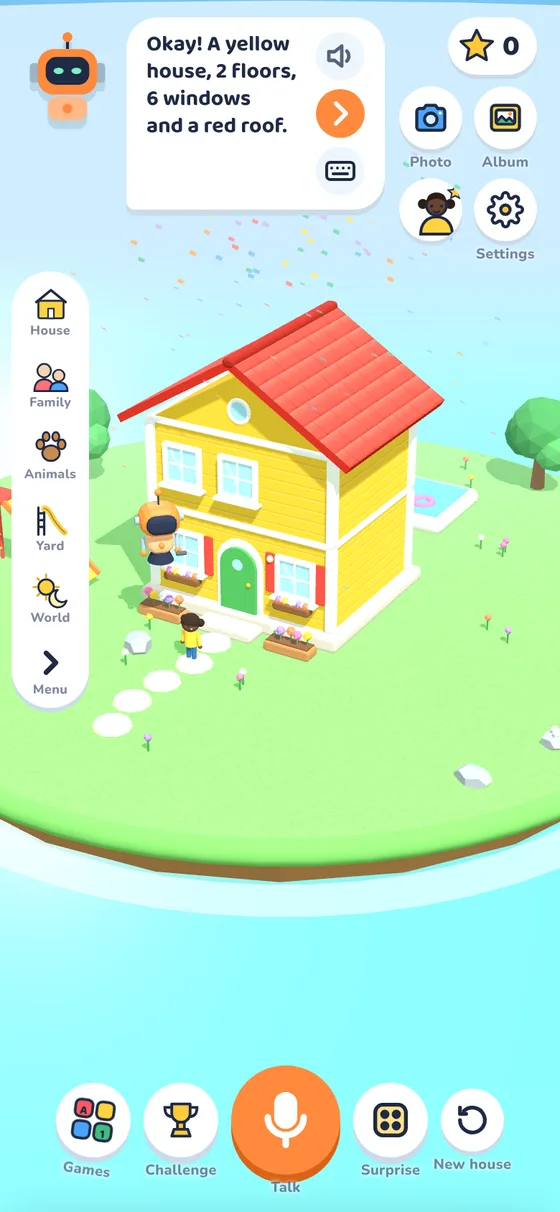
Your child tells Bo what to build: “a yellow house with a red roof and a slide”. Bo listens, guesses, sometimes gets it wrong, and learns. That's how AI works, and now they know it too.
Coming soon for iPhone, iPad and Android
How it works
Say it. Bo builds it. Fix what Bo got wrong.
Your child talks
Tap the big microphone and say what to build. No reading or typing needed.
A blue house with three windows and a dog
Bo listens and guesses
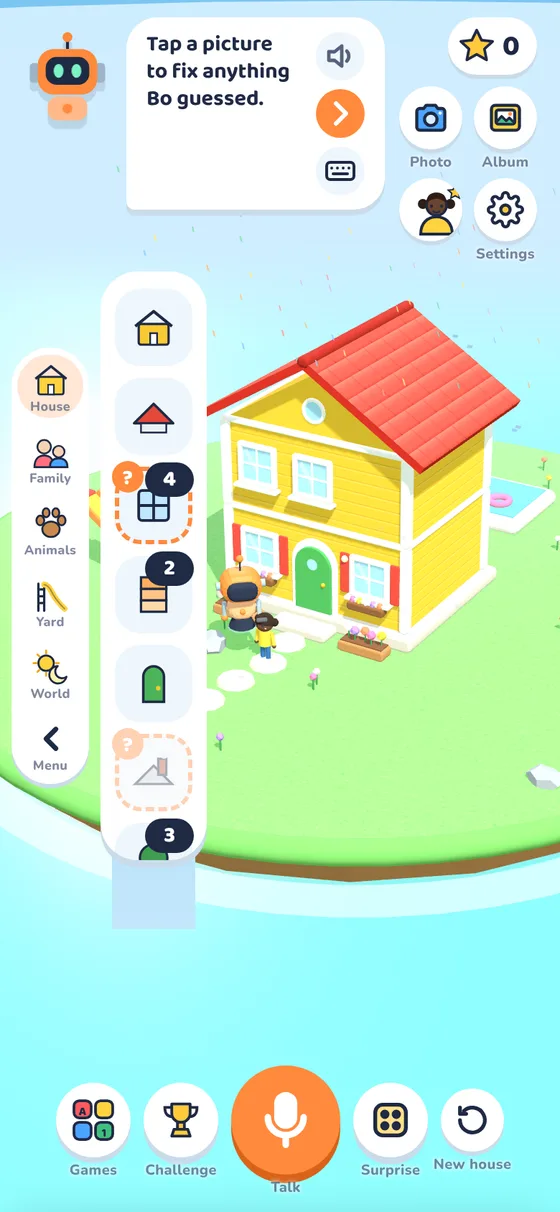
Bo shows what he heard and what he guessed. Guessed parts get a little orange question mark.
You didn't say, so I guessed the red roof.
Your child fixes it
Tap a picture to change it, or tell Bo. Sometimes Bo makes a silly mistake on purpose, for them to catch.
No, Bo, I said green!
What kids learn
How AI really works, in a way a 4-year-old gets
No screens full of words, no lectures. Kids learn by playing with an AI that behaves like the real thing.
AI listens
Speaking clearly and saying exactly what you want gets better results.
AI guesses
When something is missing, AI fills the gap with a guess, and Bo shows which parts were guesses.
AI makes mistakes
Computers get things wrong too. Spotting and fixing Bo's mistakes is part of the game.
AI learns from examples
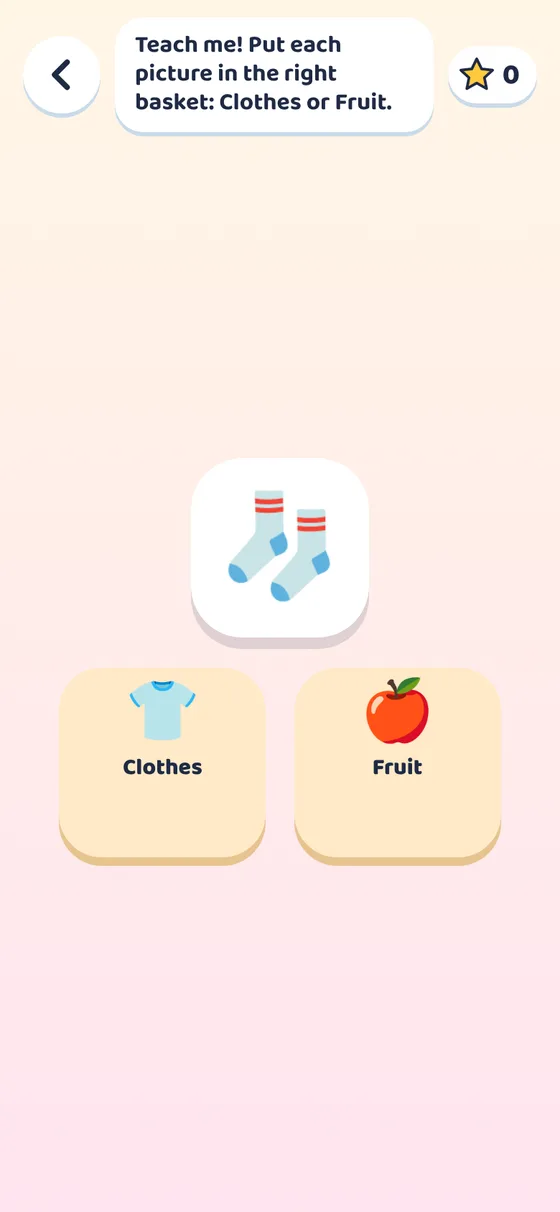
In Teach Bo, your child sorts pictures, then watches Bo guess using only what they taught him.
Build anything
Houses, families, pets and a whole island
- Colours, windows, floors, roofs, doors and chimneys
- Pools, slides, swings, a treehouse, a garden and more
- Mom, Dad, brothers, sisters, grandparents, and pets from dogs to ladybugs
- Rain, snow, rainbows, night time, and a peek inside the house
- Photos of every house, saved in a little album
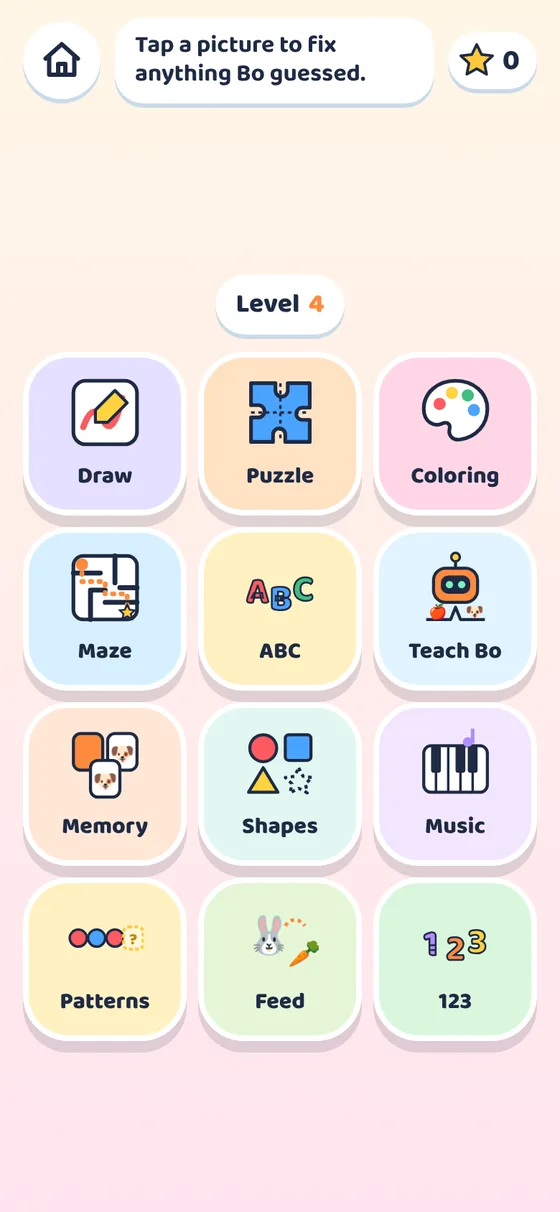

12 little games
Letters, numbers, shapes and music too
Games that grow with your child, from tapping and listening at age 1 to patterns and adding at age 6.
For parents
Made to be safe, calm and private
Nothing leaves the device
No accounts, no ads, no tracking, no analytics. Names, houses and photos stay on your phone or tablet.
No made-up chat
Everything Bo says is written by us in advance. Your child never sees or hears text made up by an AI.
Grown-ups stay in charge
Settings, sharing and anything outside the game sit behind a grown-up check.
Daily play time
Set a daily limit. When it's time, Bo says goodnight and the game rests until tomorrow.
See their progress
A grown-ups' page shows play time and what they practised: clear speaking, spotting mistakes, teaching.
One space per child
Each child gets their own profile, houses and stars on the same device.
Plays in 16 languages
Questions parents ask
What age is Build with Bo for?
Ages 1 to 6. Everything works by talking and tapping pictures, so no reading is needed. Bo speaks more slowly to younger children, and the games get harder as they grow.
Does it use real AI? Is it safe?
Bo works like an AI, listening, guessing and learning, but everything he says is fixed text we wrote. Speech is turned into words by your device's own speech service (Apple or Google), and the game keeps no recordings.
Does it need the internet?
The app plays offline. Talking to Bo uses your device's speech service, which may need a connection on some devices; tapping and typing always work.
What do you collect about my child?
Nothing. There are no accounts, ads or analytics. Everything the game remembers stays on the device, and Settings → Forget everything deletes it. Read the privacy policy.
Bo can't hear my child. What do I do?
The first time, your device asks to allow the microphone. If it was declined, Bo shows the steps to switch it back on. See Help for details.